These are instructions on how to jailbreak your iPhone 5s, iPhone 5c, iPhone 5, iPhone 4s, or iPhone 4, on iOS 7.0 to iOS 7.0.4 (7.1 beta 1 and beta 2 work as well) using Evasi0n for Mac. Before we begin, please make sure you have no passcode lock on your device (you can add it back after the jailbreak is applied). If you previously updated OTA, you must do a full backup then re-restore. Step OneConnect your iPhone to your computer then perform a manual backup of your iPhone using these instructions. Step TwoCreate a folder called Pwnage on your desktop and then download the latest version of evasi0n into the folder. Here are the Evasi0n Download Links. Additionally, we recommend you download the latest iOS 7.0.4 firmware for your device into the Pwnage folder. The evad3rs suggest a full restore before performing the jailbreak. Here are the iPhone Firmware Download Links.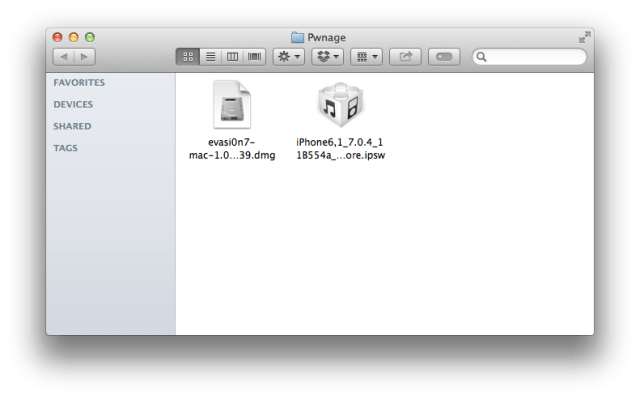 Step ThreeDouble click the Evasi0n dmg file from the Pwnage folder on your desktop to mount it.
 Step FourDrag the Evasi0n application from the mounted dmg into the Pwnage folder on your desktop.
 Step FiveLaunch iTunes from your dock.
 Step SixEnsure your iPhone is connected to the computer via USB and select it from the left sidebar or the top right corner of the window.
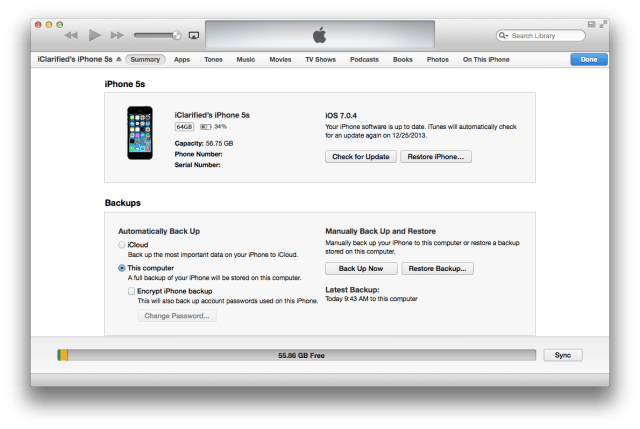 Step SevenPress and hold the Option key and click the Restore iPhone... button.
 Step EightFrom the popup window that appears, select your iPhone firmware ipsw from the Pwnage folder we created on the desktop and click Open.
 Step NineYou will be asked to confirm your restore. Please click the Restore button.
 Step TenOnce your restore has successfully completed, right click (or control+click) the evasi0n app icon from the Pwnage folder then select Open from the contextual menu to launch the application. If prompted to confirm, click the Open button again.

 Step ElevenEnsure there are no lock screen passcodes on your device then click the Jailbreak button to begin.
 Step TwelveThe app will retrieve information from the device to generate jailbreak data, inject stage 1 jailbreak data, reboot the device, wait for the device to be ready, inject stage 2 jailbreak data, upload Cydia, and upload the Cydia packages list.
 Step ThirteenYou will then be asked to unlock your device and tap the new 'evasi0n 7' app icon. It is imperative that you only tap the icon once. The app will open and immediately close.
 Step FourteenEvasi0n will then inject the remount payload, remount the root filesystem, prepare the final jailbreak data, inject the final jailbreak data, and complete!
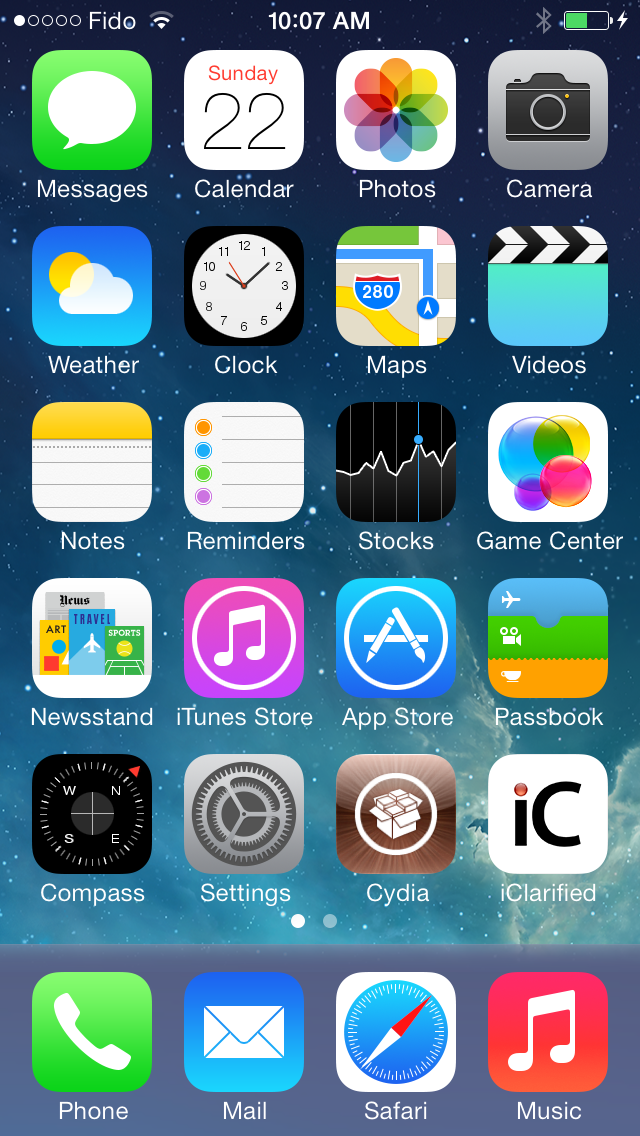
 Step FifteenYour iPhone will now reboot with Cydia on the SpringBoard! Don't forget to download the iClarified app from here!
 ANSWERS:If you need help with this tutorial please post a question in the comments or submit a question to the iClarified community using our Answers section.FOLLOW:If you appreciate this tutorial please follow iClarified on Twitter, Facebook, Google+, or RSS to stay current with the latest Apple news and tutorials.THANKS:Of course, much thanks is due to the Evad3rs for their hard work in making this jailbreak possible.TRANSLATE:If you speak a different language please use the translate link at the top of this tutorial to submit a translation that will help others.


0 comments:
Post a Comment